Outdoor air · iPhone
A real thermometer.
Real outdoor air.
Thermometer reads the outdoor air temperature where you are and shows it on an analog mercury dial, with numbered °C and °F scales side by side. Weather data provided by Apple Weather.

- No account
- No ads
- No tracking
- iOS 17 or later
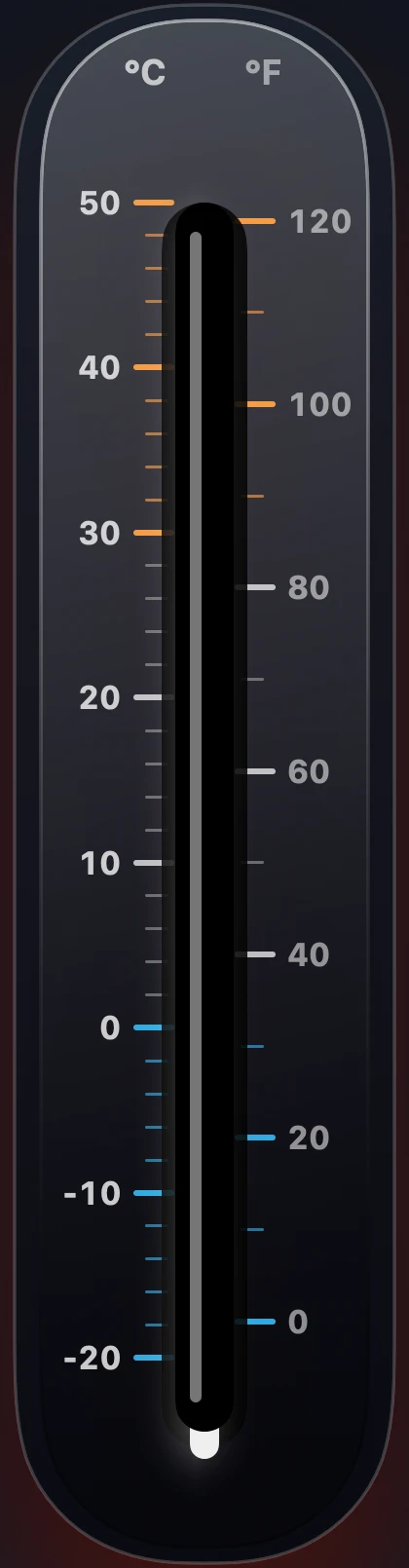

21°C
70°F on the Fahrenheit scale
Mild
Drag the column, or focus it and press ← →. The page is seeded from this reading. Interactive demo · the app reads the live value
The reading is the only input.
Colour, the mark in the corner, the width of the numerals, the widget faces below — all of it is derived from the temperature on that column. Move it and watch the page follow. In the app, the value moves on its own, because it comes from the weather.
Dual-Scale Conversion Formulas & Worked Example: Convert Celsius to Fahrenheit with °F = (°C × 9/5) + 32, Fahrenheit to Celsius with °C = (°F − 32) × 5/9, and Celsius to Kelvin with K = °C + 273.15. At the default dial reading of 21 °C: (21 × 9/5) + 32 = 69.8 °F ≈ 70 °F (294.15 K, Mild outdoor band). In cold wind (≤ 50 °F / 10 °C, wind > 3 mph), apparent temperature follows the National Weather Service Wind Chill equation: WC = 35.74 + 0.6215×T − 35.75×V^0.16 + 0.4275×T×V^0.16.
| Celsius (°C) | Fahrenheit (°F) | Kelvin (K) | Dial Band | Outdoor Threshold & Practical Guidance |
|---|---|---|---|---|
| −20 °C | −4 °F | 253.15 K | Freezing | Deep freeze; uninsulated pipes and weak car batteries fail rapidly |
| −12 °C | 10 °F | 261.15 K | Freezing (Preset) | Hard freeze; limit small dog walks to 10–15 minutes |
| −6 °C | 21 °F | 267.15 K | Freezing | Pipe freeze threshold (4–6 hours exposure in unheated crawl spaces) |
| 0 °C | 32 °F | 273.15 K | Freezing | Pure water freezes at standard pressure (1,013.25 hPa) |
| 4 °C | 39 °F | 277.15 K | Cold (Preset) | Ground frost possible on clear, calm nights due to radiative cooling |
| 21 °C | 70 °F | 294.15 K | Mild (Preset) | Standard comfortable room and mild shirt-sleeve outdoor temperature |
| 30 °C | 86 °F | 303.15 K | Hot | Warm summer afternoon; humidity begins driving apparent heat index |
| 38 °C | 100 °F | 311.15 K | Hot (Preset) | Extreme heat; high heat-exhaustion risk during outdoor exertion |
Both scales.
Always legible.
The mercury column runs against a numbered Celsius scale and a numbered Fahrenheit scale at the same time. No conversion, no unit hunting — read whichever one you think in.
- OutdoorThe current air temperature for your location, from Apple Weather.
- Feels likeThe apparent temperature next to the measured one.
- HumidityRelative humidity as a percentage.
- PressureBarometric pressure in hectopascals.
- WindWind speed in your locale's unit.
- SkyThe current condition, in words.
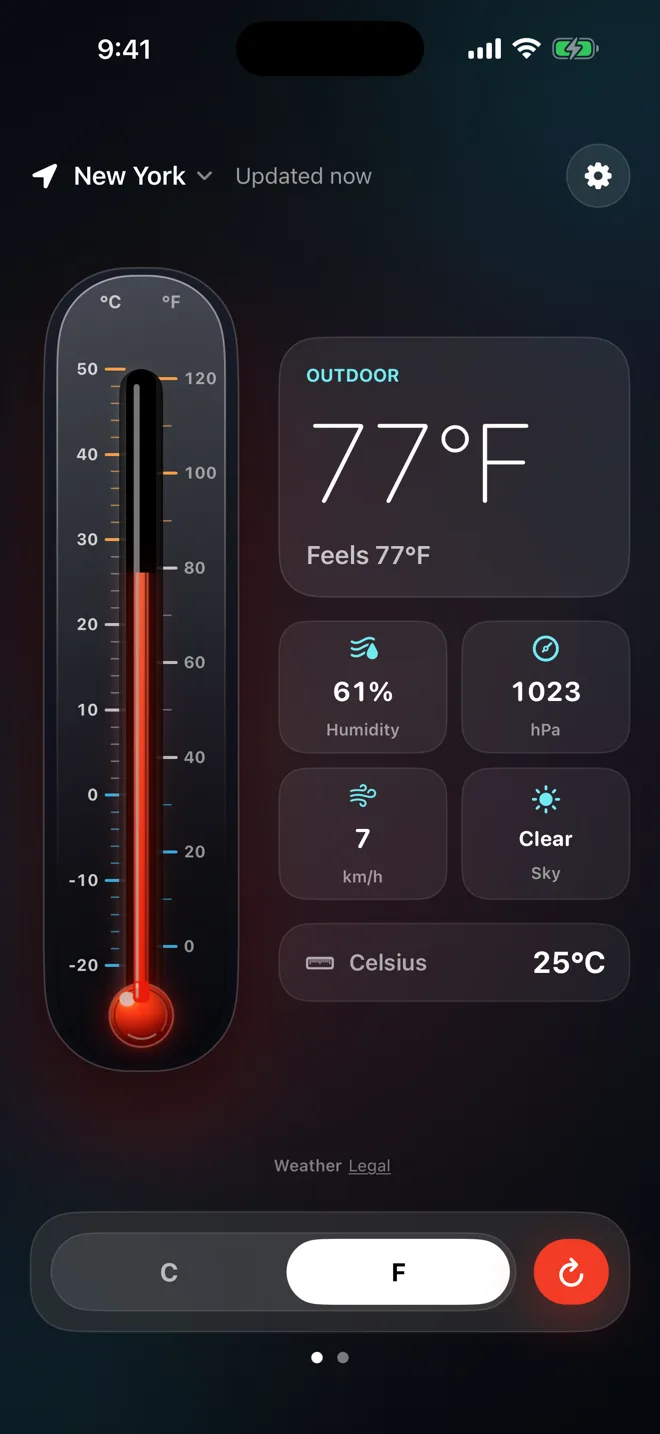
The same instrument,
one glance away.
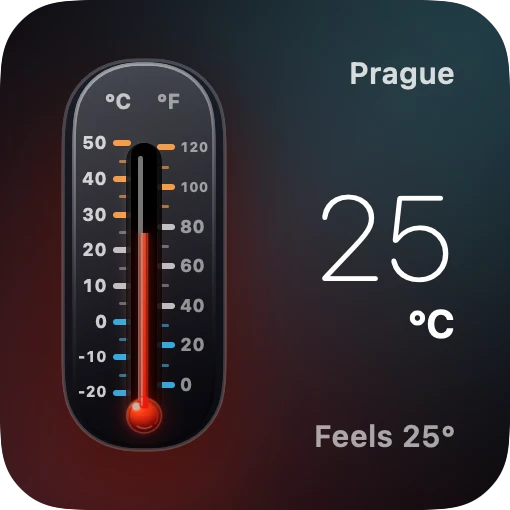
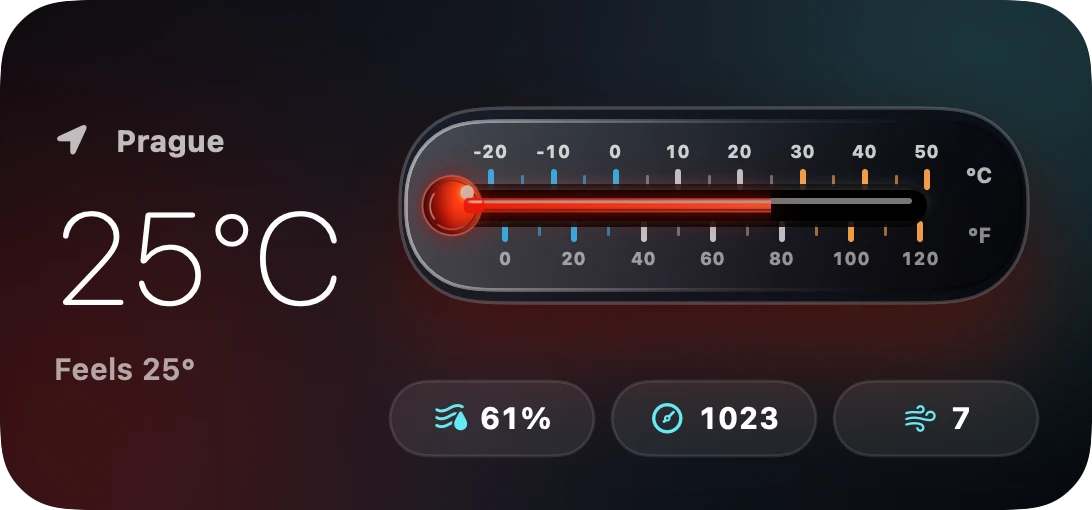
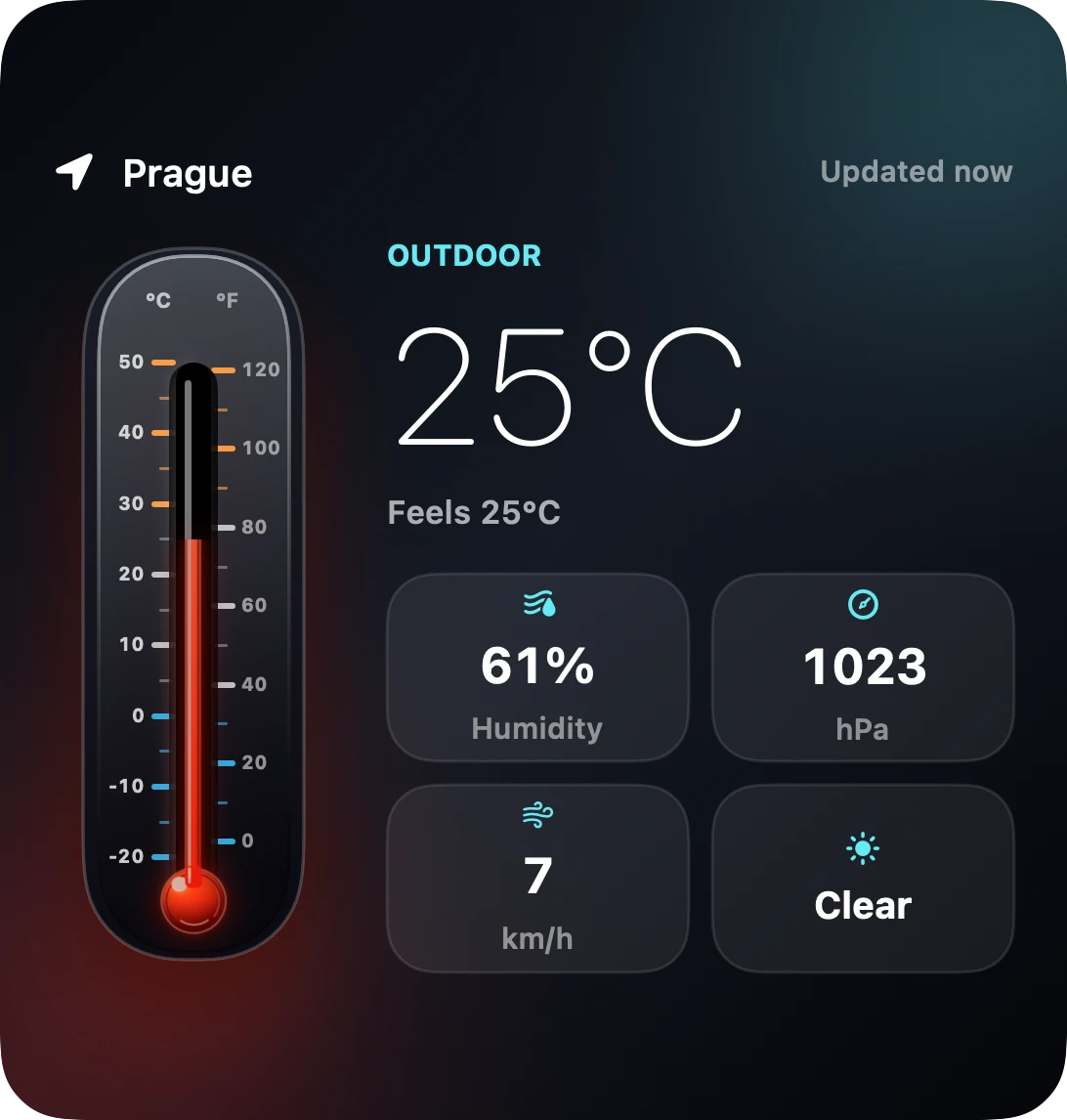
Three widget sizes, each with a numbered tick scale rather than a bare number. The large size carries both scales, exactly like the app.
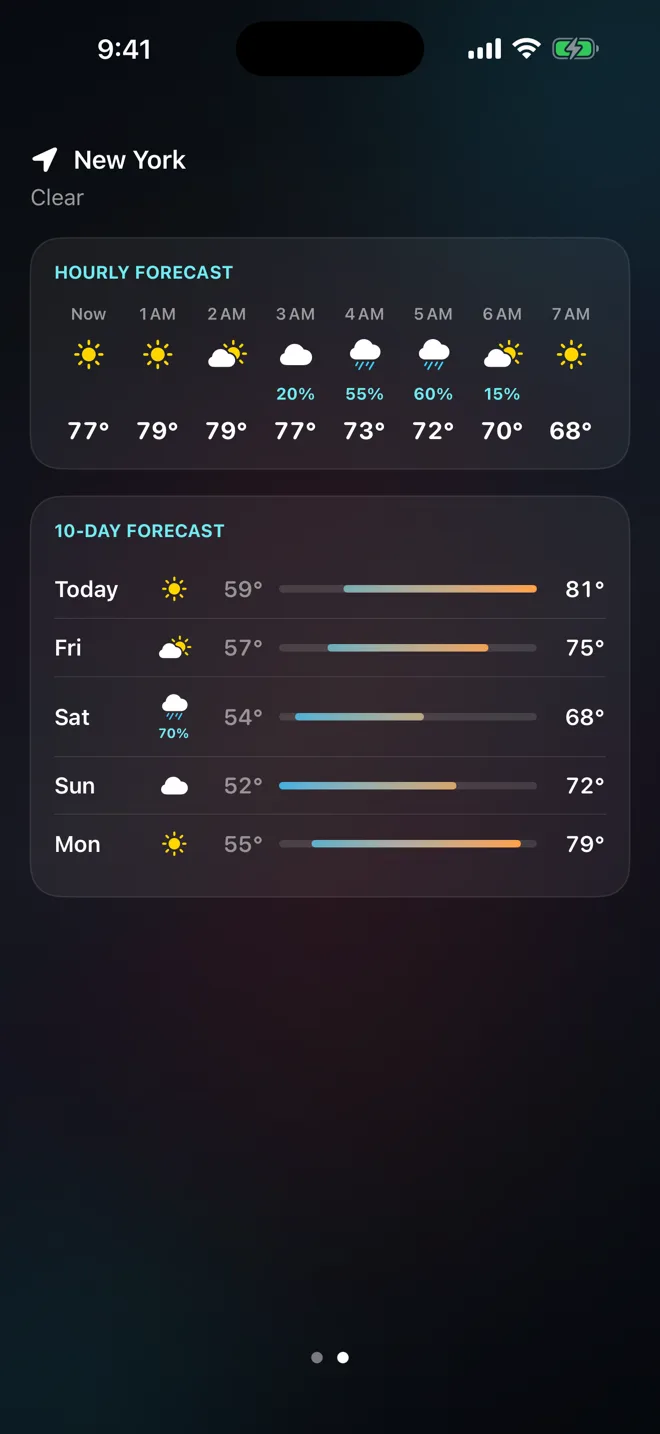
Hourly, then ten days.
Swipe left from the dial for the hours ahead and a ten-day outlook — enough to decide about tomorrow without leaving the instrument behind.
- HourlyCondition and temperature hour by hour.
- Ten daysDaily high and low with the day's condition.
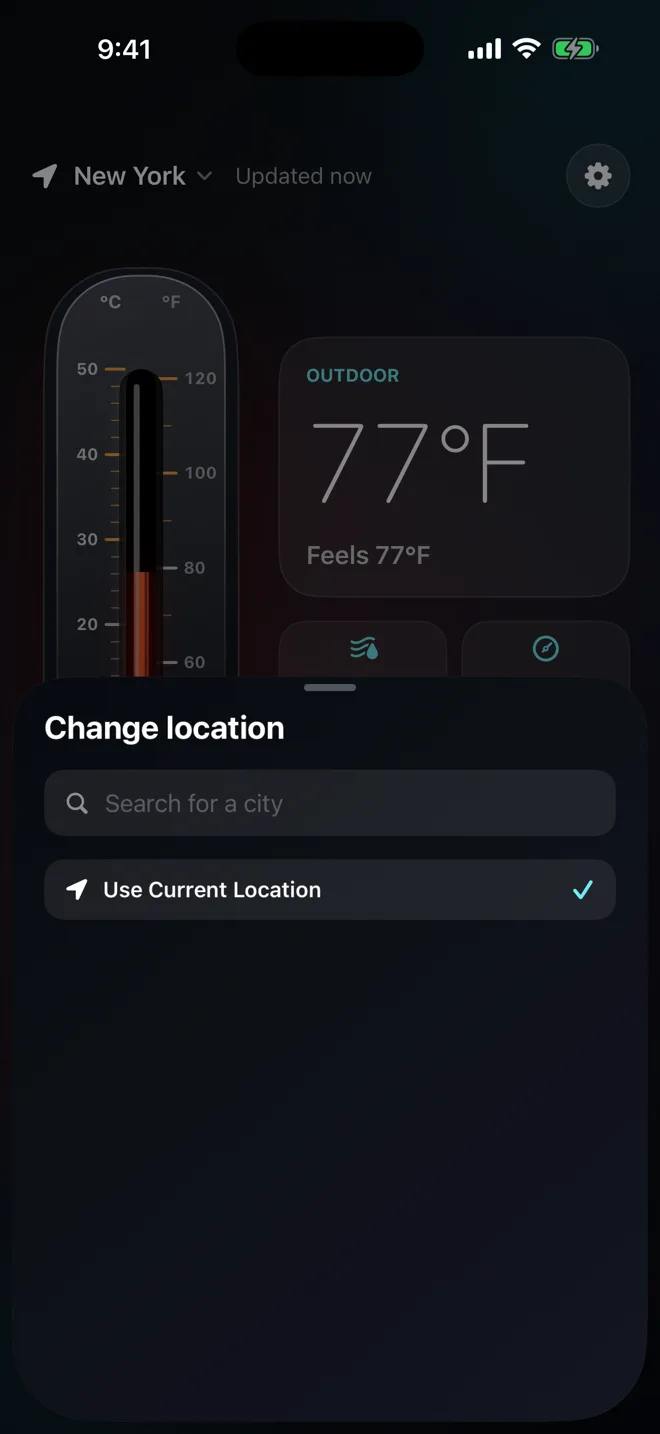
Your location,
or any city you name.
Tap the place name and search for a city anywhere in the world. The pinned city keeps working even if you never grant location access — useful if you would rather not share where you are.
- FollowTrack the device location and update as you move.
- PinHold one city and read it from anywhere.
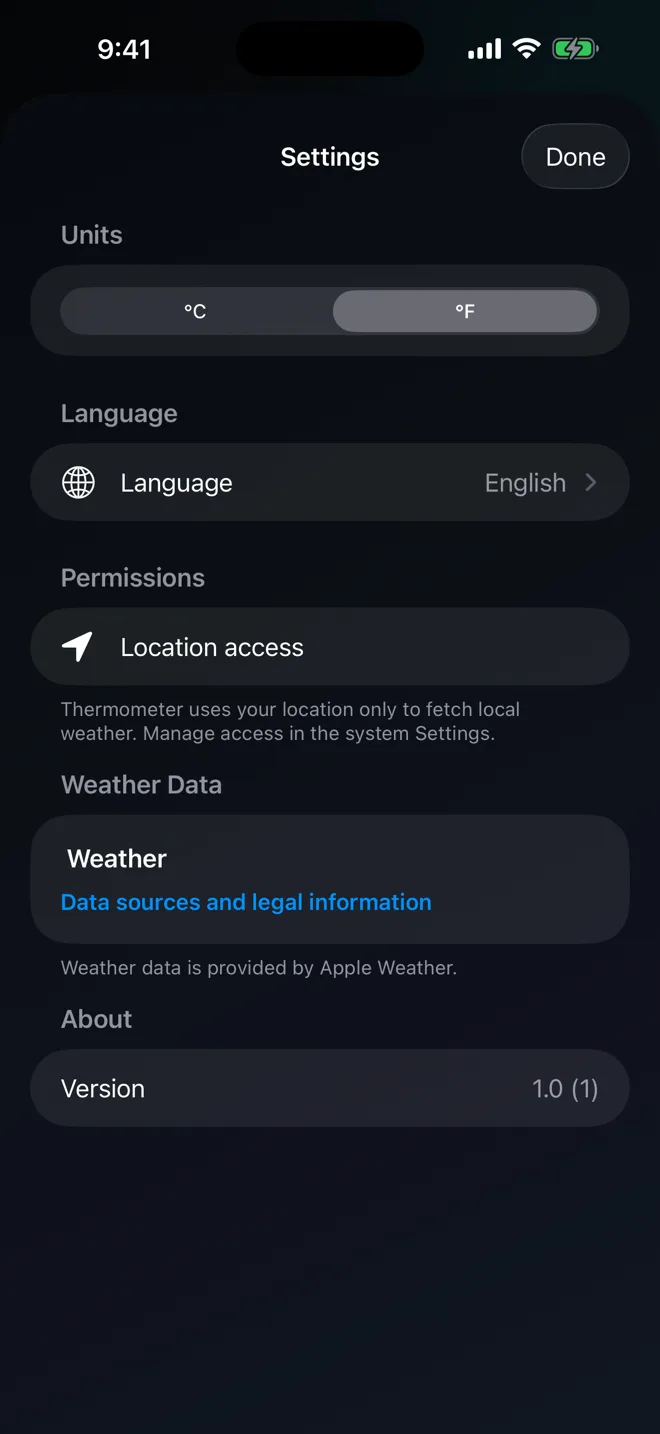
20 languages,
switched inside the app.
Pick a language in Settings and the whole interface changes immediately — you do not have to change the language of your iPhone. The unit starts from your region, with °F where °F is expected, and an explicit choice sticks.
- LanguageSystem, or any of 19 languages, applied without a restart.
- Unit°C or °F, shared by the app and every widget.
- English
- Čeština
- Deutsch
- Français
- Español
- Italiano
- Português (Brasil)
- Português
- Nederlands
- Svenska
- Polski
- Türkçe
- Русский
- 한국어
- 日本語
- 繁體中文
- Tiếng Việt
- ไทย
- Bahasa Indonesia
- العربية
Nothing to sign in to.
Thermometer asks for your location so it can request the weather for where you are. That is the extent of it: no account, no advertising SDK, no analytics, no third-party tracking. Your unit and language choices stay on the device.
Before you install.
Is this an outdoor thermometer or a body thermometer?
Outdoor only. Thermometer shows the outdoor air temperature for your location from Apple Weather. It does not measure body temperature, fever, or room temperature, and it does not use the iPhone's internal sensors.
Where does the temperature come from?
From Apple Weather via WeatherKit, for the location you are in or the city you searched for. The iPhone has no outdoor air temperature sensor, so no app can read the air around you directly — an honest outdoor thermometer reads a weather service, and this one tells you which.
Can I see both Celsius and Fahrenheit?
Yes. The dial carries a numbered °C scale and a numbered °F scale side by side, so you can read either without converting. A toggle sets which unit the large readout and the widgets use.
Do the widgets need a network connection?
No. The app writes each fresh reading to a shared cache and the widgets render from that snapshot, so a widget never performs its own network request. Open the app to refresh the reading the widgets draw from.
Does Thermometer track me or require an account?
No account, no advertising, no analytics, and no third-party tracking. Your location is used to request the weather for where you are, and your unit and language choices stay on the device.
Read the air.
Thermometer – Weather Temp — for iPhone on iOS 17 or later.
Download on theApp StoreWeather data provided by Apple Weather. Attribution and legal